
[vc_row][vc_column width=”1/4″][vc_widget_sidebar sidebar_id=”sidebar-1″][/vc_column][vc_column width=”3/4″][vc_column_text]
Unsubscribe Reasons & Feedback
OctopusPro’s Unsubscribe Reasons feature helps you collect quick, structured feedback when customers opt out of receiving emails from your business. Instead of a “silent unsubscribe”, customers can select a reason (and optionally add details), giving you clear insight into what to improve—such as email frequency, targeting, and content relevance.
What this feature is for
- Understand opt-outs: Learn why customers unsubscribe (for example: “too frequent” or “not relevant”).
- Improve engagement: Use patterns to refine your messaging and segmentation.
- Protect deliverability: A clean list and clearer targeting reduces spam complaints and improves inbox placement.
- Make improvements fast: Turn feedback into action (frequency changes, better targeting, or clearer value in messages).
Table of contents
- Access Unsubscribe Reasons settings
- Add a new unsubscribe reason
- Edit an existing unsubscribe reason
- Remove an unsubscribe reason
- Best practices for reason options
- What customers see when they unsubscribe
- How to use unsubscribe feedback to improve results
- Related guides
Access Unsubscribe Reasons settings
To manage your unsubscribe reasons:
- Go to Settings.
- Open Communications (or Communication depending on your menu label).
- Click Mailing Lists.
- Open the Unsubscribe Reasons section.

Add a new unsubscribe reason
Add reasons that match what your customers are most likely to choose (for example: “too frequent”, “not relevant”, “no longer interested”).
- Go to Settings → Communications → Mailing Lists.
- Open Unsubscribe Reasons.
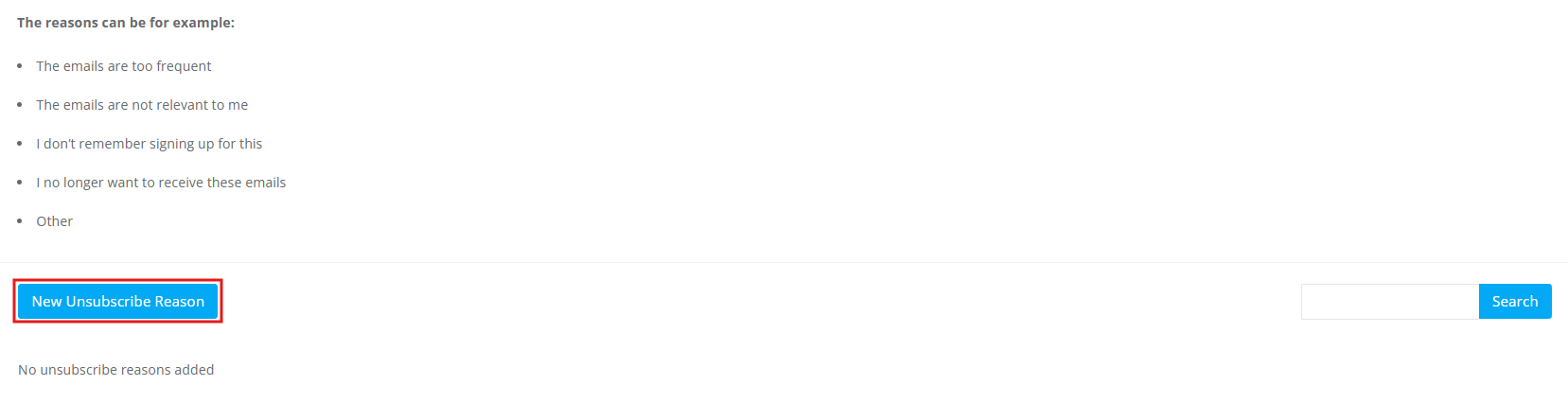
- Click New Unsubscribe Reason.
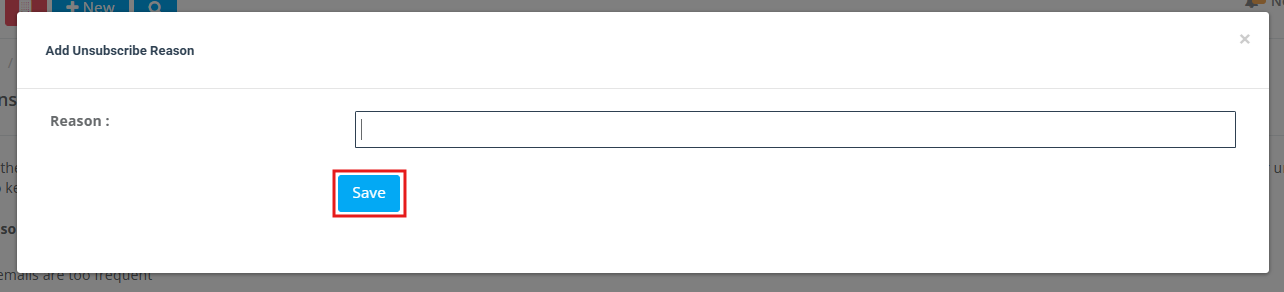
- Enter the reason text, then click Save.
Edit an existing unsubscribe reason
Update wording at any time to improve clarity, match your brand tone, or make the options more actionable.
- Go to Settings → Communications → Mailing Lists.
- Open Unsubscribe Reasons.
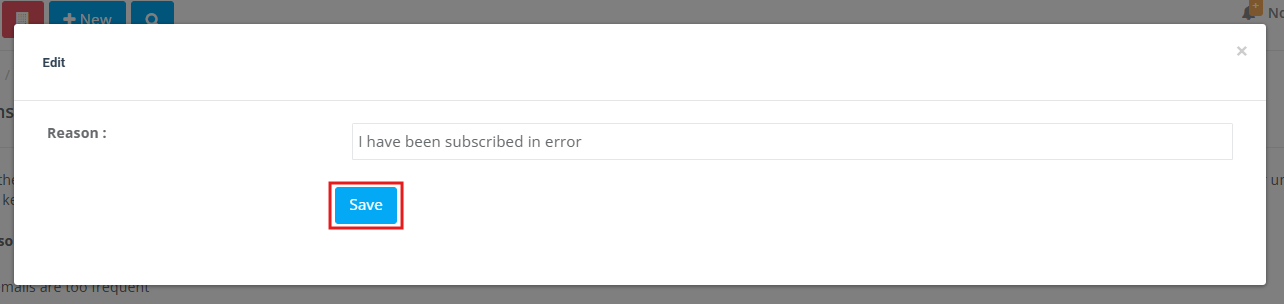
- Find the reason you want to update and click Edit.

- Edit the reason text, then click Save.
Remove an unsubscribe reason
If a reason is no longer relevant, remove it to keep the list focused and easy for customers to complete.
- In Settings → Communications → Mailing Lists → Unsubscribe Reasons, look for the delete/trash icon (or the “remove” action) next to the reason.
- Remove outdated reasons and keep only the options you will act on.
Best practices for reason options
A good unsubscribe reasons list is short, neutral, and actionable.
- Keep it short: Aim for 4–8 options maximum.
- Use neutral language: Avoid emotional or defensive wording.
- Make it actionable: “Too frequent” is more useful than “Not good”.
- Include “Other”: Add an “Other” option so customers can give extra detail.
Example reasons:
- The emails are too frequent
- The emails are not relevant to me
- I don’t remember signing up for this
- I no longer want to receive these emails
- Other
What customers see when they unsubscribe
Customers unsubscribe directly from your email by clicking the Unsubscribe link in the message (typically in the header or footer).
- Customer clicks Unsubscribe in the email.

- They enter their email address, select a reason, and click Unsubscribe.

Note: After unsubscribing, the customer will no longer receive future emails related to the same mailing/communication topic. The opt-out process is handled automatically by OctopusPro.
How to use unsubscribe feedback to improve results
Unsubscribe feedback is most valuable when you turn it into clear actions. Here are common patterns and what to do next:
- “Too many emails” → Reduce frequency, avoid stacking multiple automations, and remove unnecessary reminders or marketing blasts.
- “Not relevant” → Improve segmentation (by location, service type, customer type, booking history, or labels) and tailor messages to each group.
- “I don’t remember signing up” → Make consent clearer, tighten list sources, and ensure your templates clearly identify your business.
- “Other” → Review trends in comments and convert repeated themes into new selectable reasons (so feedback becomes measurable).
Compliance tip: Always include opt-out instructions in your emails and respect unsubscribe requests. Avoid manually re-subscribing customers without clear consent.
Related guides
- Mailing Lists & Marketing Campaigns (SMS, Email & WhatsApp)
- Mailchimp Mailing Lists Integration
- Email Templates
- Template Placeholders (Merge Fields)
To stay updated, please subscribe to our YouTube channel.
[/vc_column_text][/vc_column][/vc_row]