
Customer Portal SEO Meta Tags (Meta Title & Meta Description)
Your OctopusPro Customer Portal can appear in Google search results when it’s publicly accessible. By setting the right SEO meta tags (specifically your Meta Title and Meta Description), you help search engines understand your portal page and improve how your business listing looks in search—often leading to more relevant visitors and higher click-through rates.

This guide explains what these tags are, where they appear, and how to set them in OctopusPro, with copy-and-paste examples you can use immediately.
On this page
- What are meta tags?
- Where do they appear?
- Why meta tags matter
- Best-practice checklist
- How to write a strong meta title
- How to write a high-click meta description
- Set SEO meta tags in OctopusPro (step-by-step)
- Copy-and-paste templates
- Other SEO/meta tags to know
- FAQ
What are meta tags?
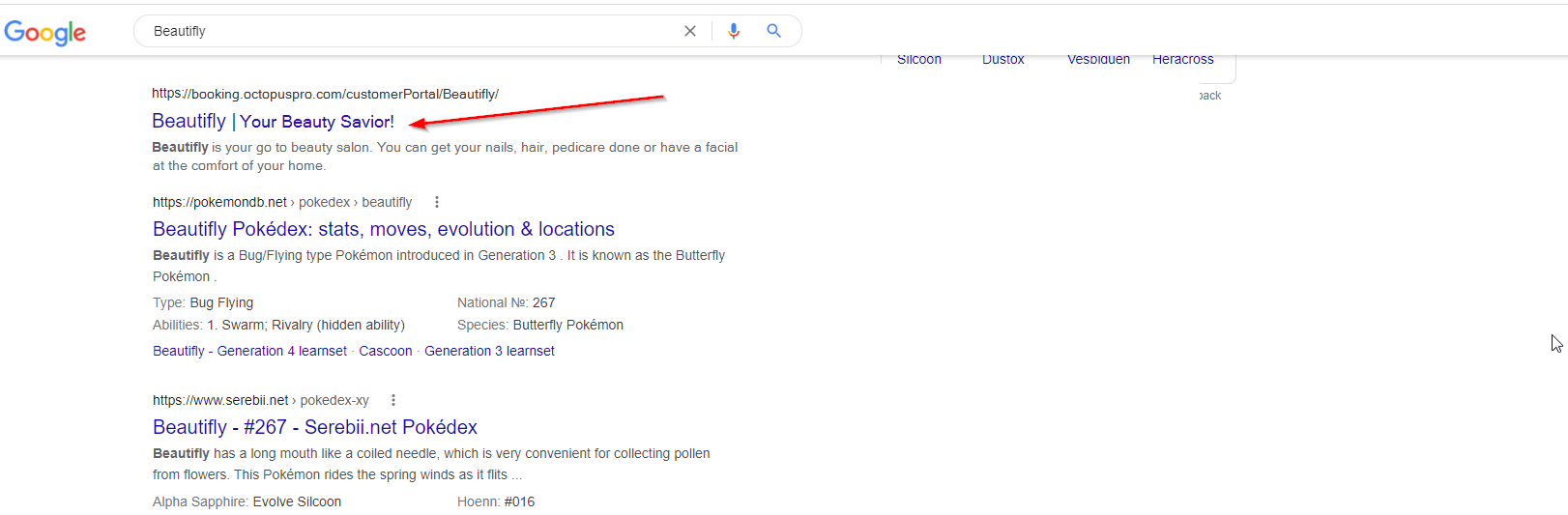
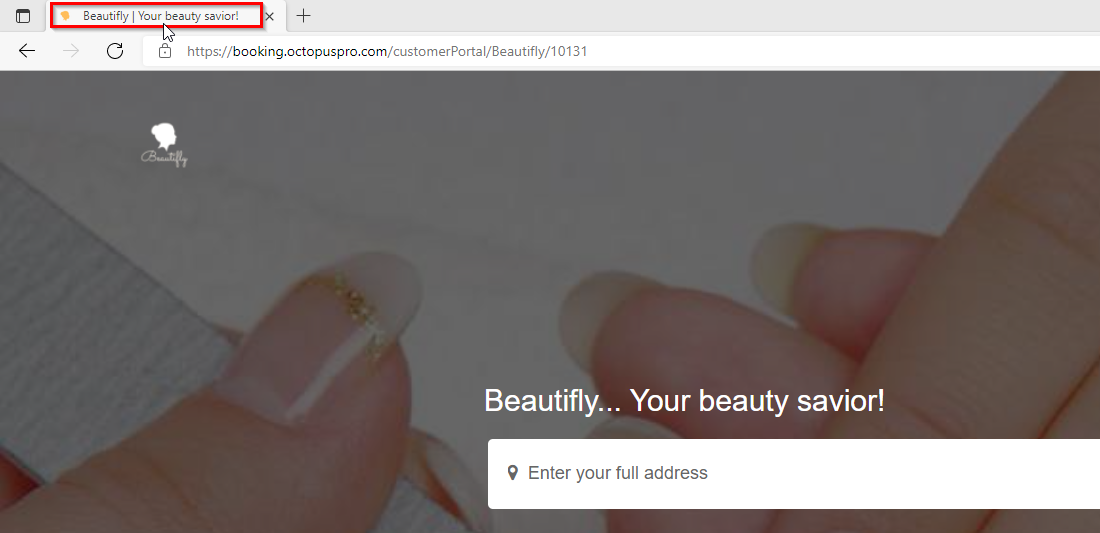
Meta Title (also called an SEO title or title tag) is the text search engines typically use as the clickable headline for your page in search results. It often also appears as the name of your browser tab.
Meta Description is a short summary that search engines may display under the title in search results. It’s mainly a click-through driver—a clear, compelling description encourages the right people to click.
Good to know: Search engines can sometimes rewrite the title or description shown in results (based on the search query and page content). However, writing strong meta tags increases the likelihood of your preferred snippet being used and improves consistency.
Where do they appear?
1) Meta title in Google search results (title link)
2) Meta title in the browser tab
3) Meta description in Google search results

Why meta tags matter
- More qualified traffic: Your snippet clearly communicates what you offer before people click.
- Higher click-through rates: A strong title and description can outperform generic/default text.
- Stronger trust and branding: Consistent, professional wording improves first impressions.
- Clear service positioning: Helps customers quickly understand if you service their needs and area.
Related Customer Portal guides:
- Customer Portal General Settings
- Customer Portal Flags & Permissions
- Customizing & White Labelling Your Customer Portal URL
Best-practice checklist
- Keep the meta title clear and specific: state the main service/offer (and location if relevant).
- Use one primary topic per page: don’t cram multiple unrelated services into one title.
- Front-load your main keyword: put the service first, brand last.
- Avoid duplicates: each public page should have its own unique title/description.
- Match what’s on the page: your tags should reflect the actual portal content to reduce snippet rewrites and avoid misleading clicks.
- Use natural language: write for humans first; avoid keyword stuffing.
Recommended lengths (safe ranges):
- Meta title: aim for ~50–60 characters (shorter is often safer on mobile).
- Meta description: aim for ~120–155 characters.
How to write a strong meta title
Think of the meta title as your search headline. It should quickly answer: what you offer + where/for who + why you.
Recommended structure
- [Primary Service / Offer] + [Location or qualifier] + [Benefit] + | [Brand]
Examples
- Mobile Car Detailing Sydney | Book Online | ShinePro
- 24/7 Emergency Electrician in Melbourne | Fast Response | VoltFix
- Tile & Grout Cleaning in Perth | Restore Your Floors | TileCare
Avoid: generic titles (e.g., “Home”), repeating the same keyword multiple times, or over-promising.
How to write a high-click meta description
Your meta description is your short pitch. Keep it easy to scan and focused on value.
Recommended structure
- Action verb + clear offer/outcome + trust signal + soft CTA
Example
Book professional home cleaning in Sydney today. Transparent pricing, vetted cleaners, and easy online booking—choose your time in minutes.
Set SEO meta tags in OctopusPro (step-by-step)
- From the Admin Panel, go to Settings → Customer Portal → General Settings.
- Scroll to the Search Engine Optimization (SEO) section.
- Enter your Page meta title.

- Enter your Page meta description.

- Click Save Changes.
After saving: Your Customer Portal will use the meta title and description you entered. Search engines may take time to recrawl and update the displayed snippet (this timing is controlled by search engines, not OctopusPro).
Copy-and-paste templates
Replace [City], [Service], and [Brand].
| Industry | Meta Title Template | Meta Description Template |
|---|---|---|
| Cleaning | Same-Day House Cleaning in [City] | Book Online | [Brand] | Need a spotless home fast? Transparent pricing, vetted cleaners, and easy online booking—choose your time now. |
| Electrical | 24/7 Emergency Electrician [City] | Fast Response | [Brand] | Licensed electricians for outages and urgent faults. Request service online and get fast help when you need it. |
| Wellness / Massage | Mobile Massage in [City] | Relax at Home | [Brand] | Certified therapists come to you. Book your preferred time and pay securely online—relax without leaving home. |
| Plumbing | Plumber in [City] | Rapid Response & Upfront Pricing | [Brand] | Blocked drains, leaks, hot water issues and more. Book online and get clear pricing and fast availability. |
Other SEO/meta tags to know
While meta title and meta description are the most important “visible” SEO tags, there are other meta elements that affect crawling and indexing:
- Robots meta tag (index/follow): Controls whether search engines should index a page and follow links on it. This is typically handled by the platform/hosting rules and your portal configuration (for example, whether your portal is public).
- Service & category pages metadata: If your portal publishes individual service pages or category pages, their visible headings and descriptions can influence what search engines show as titles/snippets. Keep your service names and descriptions clear and customer-friendly.
- Structured data (Schema markup): Structured data can help search engines better understand a business (e.g., LocalBusiness, Service). If you manage a separate marketing website (or a custom domain setup that supports it), your web team can add schema there to enhance search appearance.
Tip: SEO is not just metadata. Your portal’s visible content (service names, descriptions, coverage area wording, trust signals, and FAQs) strongly influences ranking and snippet quality.
FAQ
Why is Google showing a different title or description than what I entered?
Google may rewrite snippets based on the user’s search query or the content it finds on the page. Make sure your meta title and description accurately match what customers see on the portal and avoid keyword stuffing.
How long will it take for changes to appear in search results?
Changes save instantly in OctopusPro, but search engines update when they recrawl your page. This can vary from days to weeks.
Do “meta keywords” matter?
No. Major search engines generally ignore meta keywords. Focus on meta title, meta description, and clear on-page content.
To stay updated, please subscribe to our YouTube channel.