
Universal Search on the OctopusPro Fieldworker App
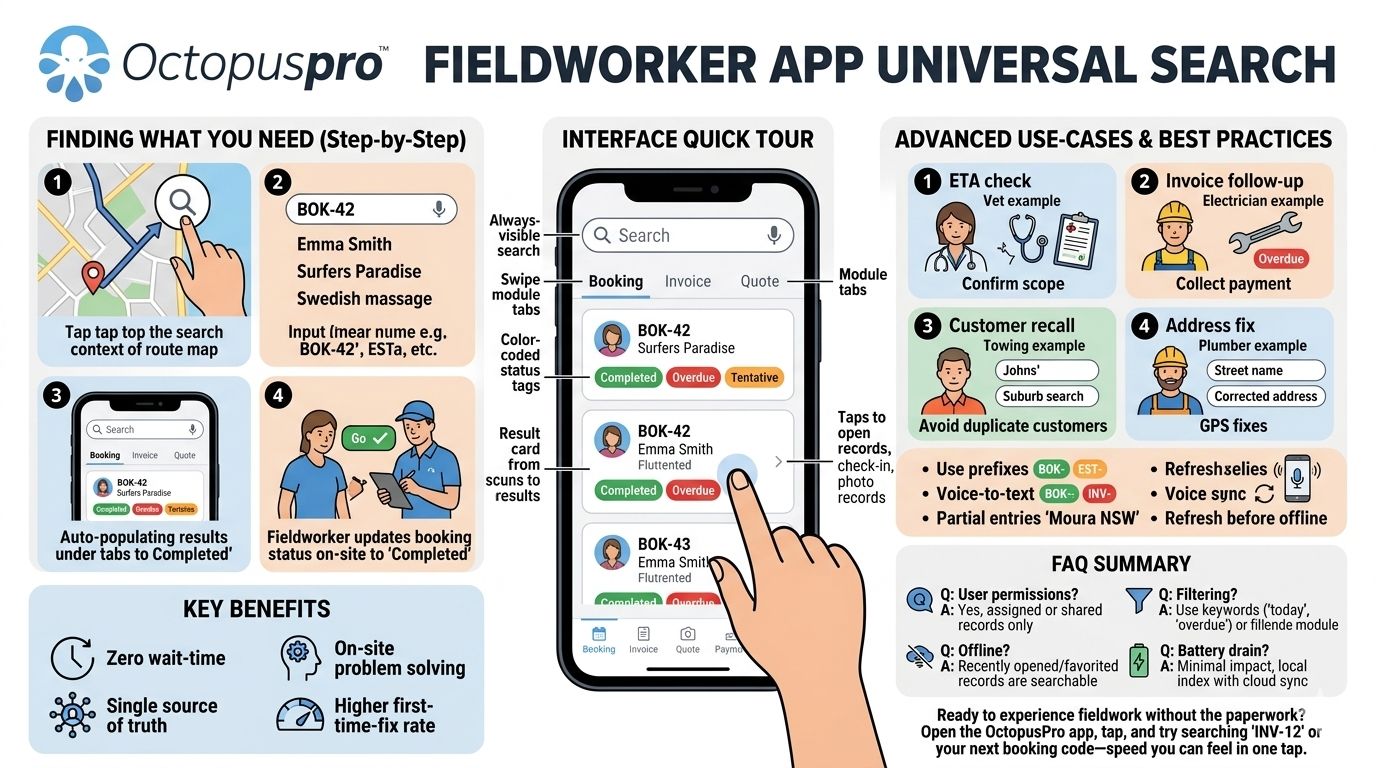
On the road, seconds count. OctopusPro’s fieldworker app ships with a built-in universal search bar that surfaces any record—booking, invoice, quote, issue, or customer—without digging through menus. Faster look-ups mean quicker updates, smoother service, and happier clients.
Quick Tour of the Search Interface
| UI Element | Purpose |
| Search Bar | Always visible at the top of the screen. Accepts any keyword or ID. |
| Module Tabs | Results are auto-sorted into Booking, Invoice, and Quote tabs (see screenshots). Swipe to switch. |
| Inline Status Tags | Colour-coded status chips (“Tentative”, “Completed”, “Overdue”) let you triage at a glance. |
| Result Card | Taps open the full record, ready for check-in, photo upload, signature, or payment. |
Step-by-Step – Finding What You Need
| Step | Action | Example |
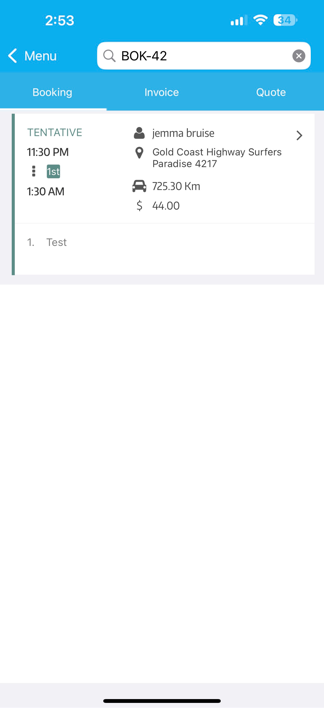
| 1 – Open Search | Tap the 🔍 icon (top-right) from any screen. | You’re viewing today’s route and need an address for BOK-42. |
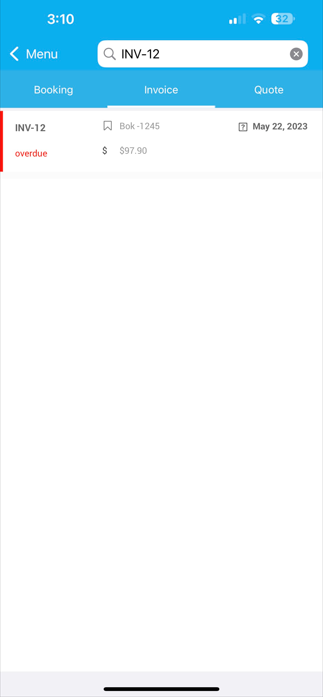
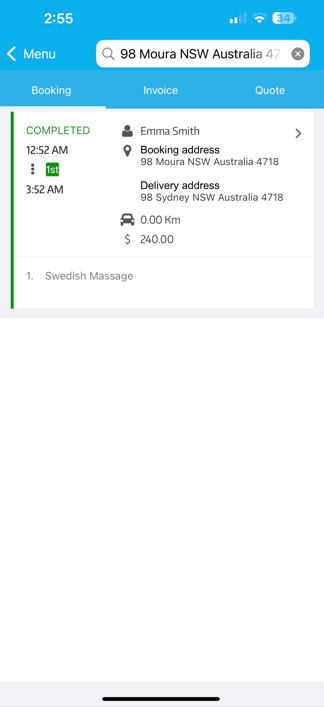
| 2 – Enter Criteria | Type any of the following: • System ID (BOK-42, INV-12) • Customer name (“Emma Smith”) • Street or suburb (“Surfers Paradise”) • Keyword (“Swedish massage”) | Typing “INV-12” immediately narrows to that invoice. |
| 3 – Review Tabs | Results auto-populate under Booking / Invoice / Quote. Unused tabs stay empty. | An address search might return one booking and two quotes. |
| 4 – Tap & Act | Open the card to: • Start/finish the job • Capture notes or images • Send the invoice link | Fieldworker updates booking status to Completed on-site. |
Advanced Tips & Use-Cases
| Use-Case | How Search Helps | Benefit |
| On-site ETA check | Search the booking code printed on a work order. | Confirm scope before ringing head office. |
| Invoice follow-up | Enter overdue to see unpaid invoices. | Collect payment while still on location. |
| Customer recall | Type part of a surname (“Johns”) plus suburb. | Avoid duplicate customer creation. |
| Address typo fix | Search street name, open record, correct address. | GPS navigation works first time. |
Best Practices for Fieldworkers
- Use prefixes – Typing BOK-, EST-, INV- instantly scopes results.
- Voice-to-text – On iOS/Android keyboards, tap the mic icon for hands-free entry.
- Partial entries – “Moura NSW” pulls every job in that town (handy with long IDs).
- Refresh before offline work – While connected, open recent records so they cache for low-coverage zones.
Frequently Asked Questions
| Question | Answer |
| Do search results respect user permissions? | Yes. Fieldworkers only see jobs, invoices, and customers assigned to or shared with them. |
| Is the search offline-capable? | Recently opened or favourited records remain searchable without data coverage. |
| Can I filter by date or status? | Use keywords like “today”, “overdue”, or “completed”, or open the record and filter inside the module list. |
| Does search drain battery? | Minimal impact—queries run against a lightweight local index and sync cloud-side only when results need updating. |
Key Benefits Recap
- Zero wait-time look-ups → shorter customer calls.
- Single source of truth → fewer duplicate records.
- On-site problem solving → collect payments, add photos, close jobs.
- Higher first-time-fix rate → fieldworkers arrive fully informed.
Ready to experience fieldwork without the paperwork?
Open the OctopusPro app, tap 🔍, and try searching “INV-12” or your next booking code—speed you can feel in one tap.
To stay updated, please subscribe to our YouTube channel.